Ava: The Proactive AI Assistant
Meet the characters.

Protagonist
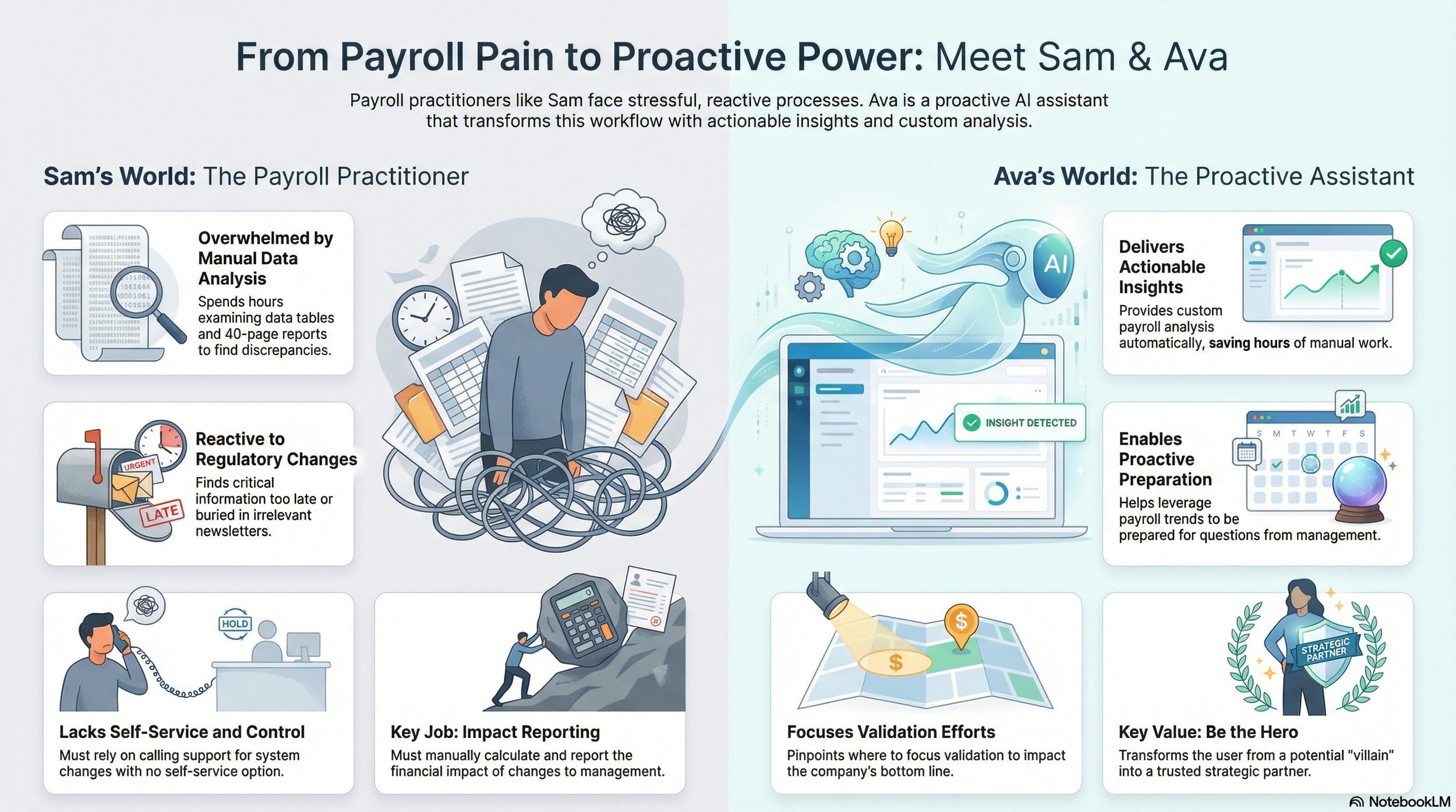
Sam, the Payroll Practitioner
The Mission.
To transform Sam, an overburdened payroll practitioner, from a manual data-cruncher into a strategic business advisor with the help of an ML-driven, conversational experience.

Villain
Compliance Anxiety & Manual Math
The Challenge.
Payroll practitioners like Sam are drowning in paper work and data noise. Between 40 page reports and retroactive regulatory changes, they spend the majority of their time hunting for discrepancies and manually calculating impacts. The cost isn’t just time; it’s the high stress of being held accountable when compliance errors occur.

Hero
Ava, the AI Payroll Assistant
The Solution.
Ava, a proactive ML-powered assistant that monitors regulatory changes in real-time. Instead of Sam searching for data, Ava surfaces only what is relevant to his jurisdiction, calculates the financial impact on the company and employees automatically, and provides a “ready-to-send” synopsis for management. Ava provides transparency, insights, speaks the user’s language, and eliminates mundane tasks.
We didn’t just conceive of a chatbot, we designed a layer of trust. We took the needle in a haystack work out of Sam’s day so he could focus on the human side of payroll.
Design
Scenario: The $100K Compliance Crunch
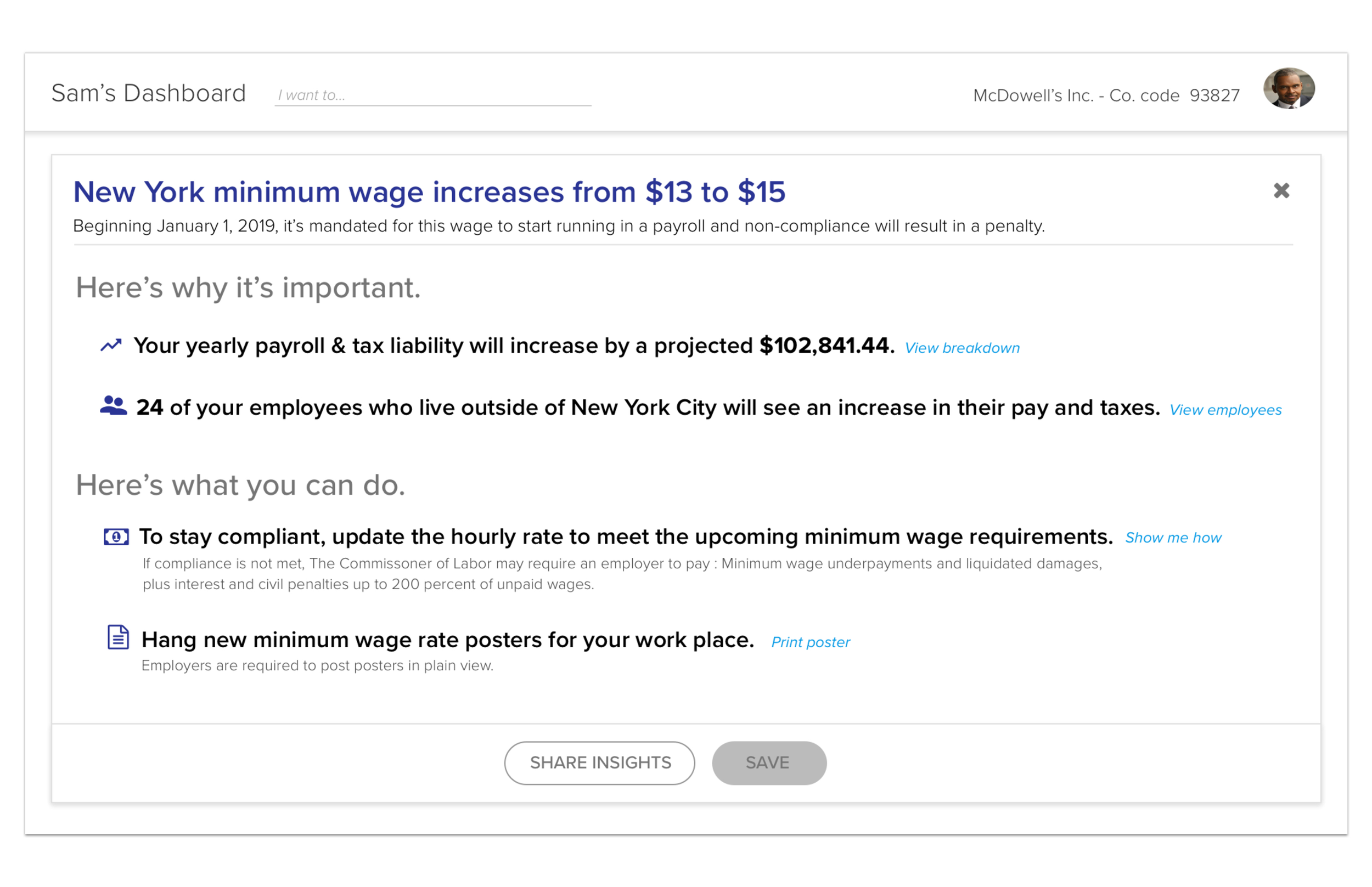
It’s Monday morning. Sam logs into his dashboard to check routine payroll and is greeted by a high-priority alert: New York is raising the minimum wage from $13 to $15. For a business like McDowell’s, this isn’t just a policy change-it’s a major financial shift.
(1) Get the “Big Picture”
Goal: Quickly assess the scope of the new regulation without getting bogged down in details.
Action: Sam reviews the summary view to see the effective date (Jan 1, 2019) and the total projected impact on his bottom line.
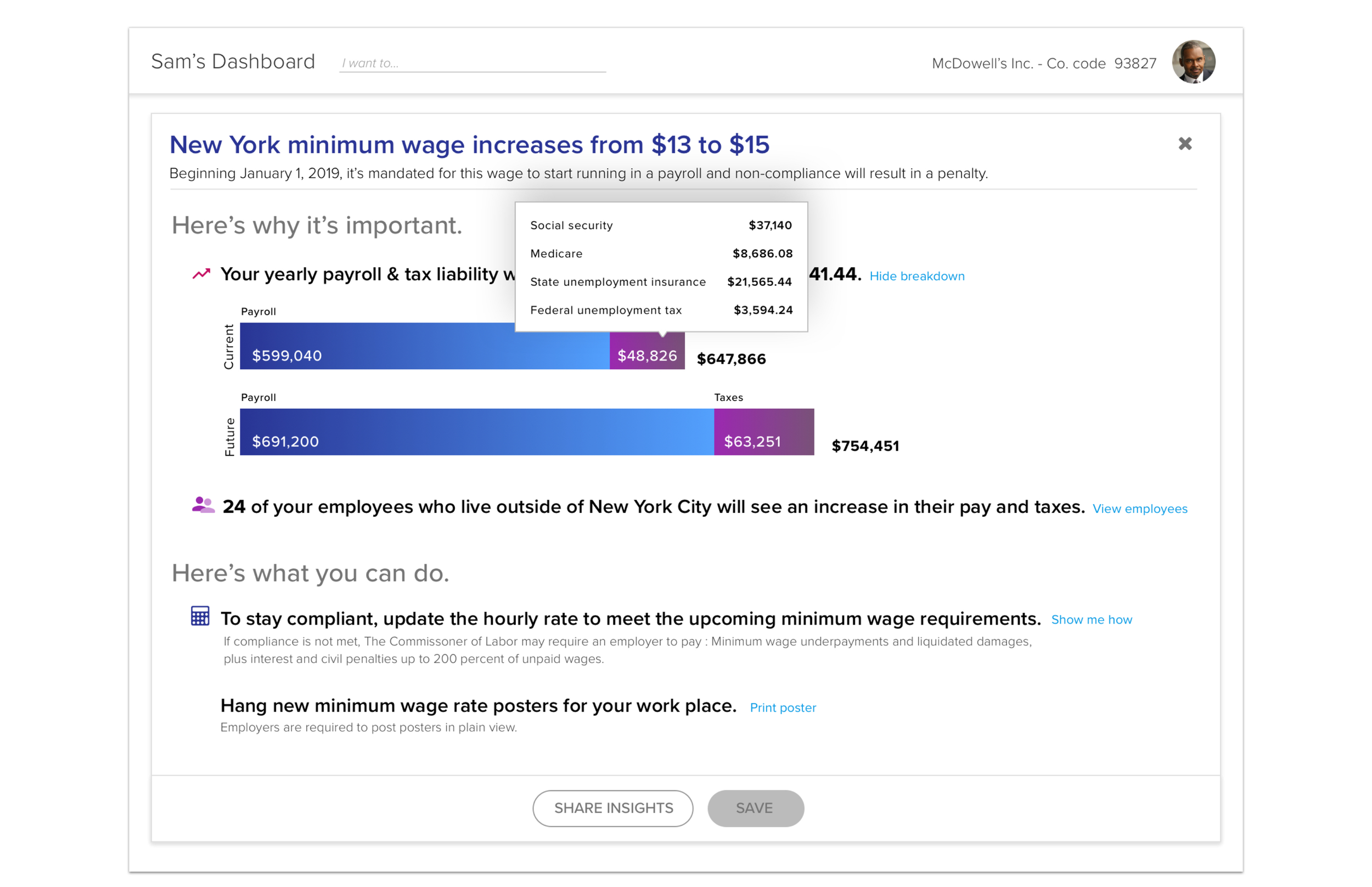
(2) Visualize the Financial Shift
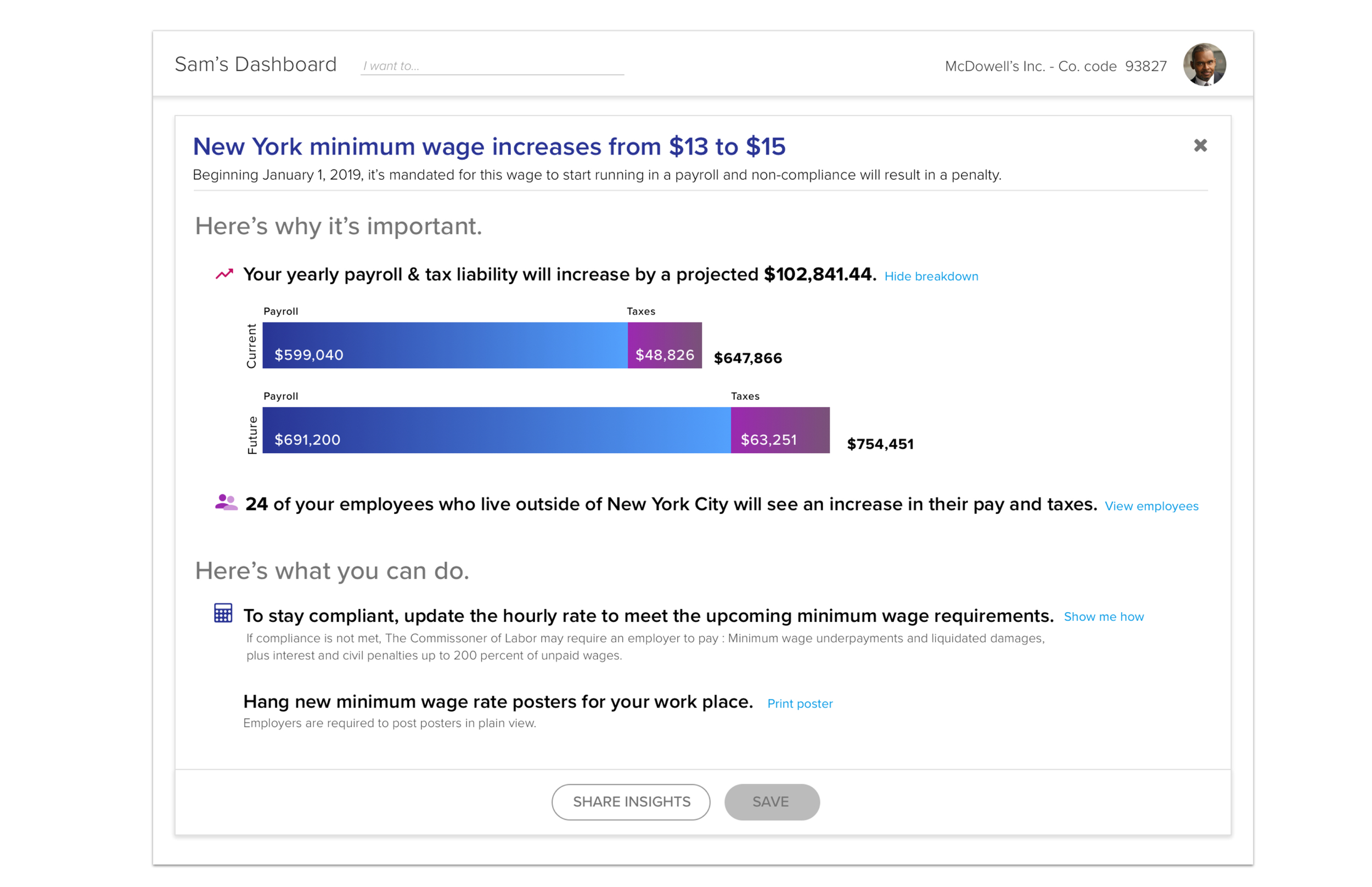
Goal: Compare the “Current” vs. “Future” state of the business’s total spend.
Action: Sam click’s “View breakdown” to expand the bar charts, giving him a clear visual of the $647K vs. $754 jump in total annual liability.
(3) Inspect the “Tax Sting”
Goal: Understand why the tax portion of liability is so high.
Action: Sam hovers over the taxes section of the liability breakdown to see specific costs for Social Security, Medicare, and Unemployment insurance.
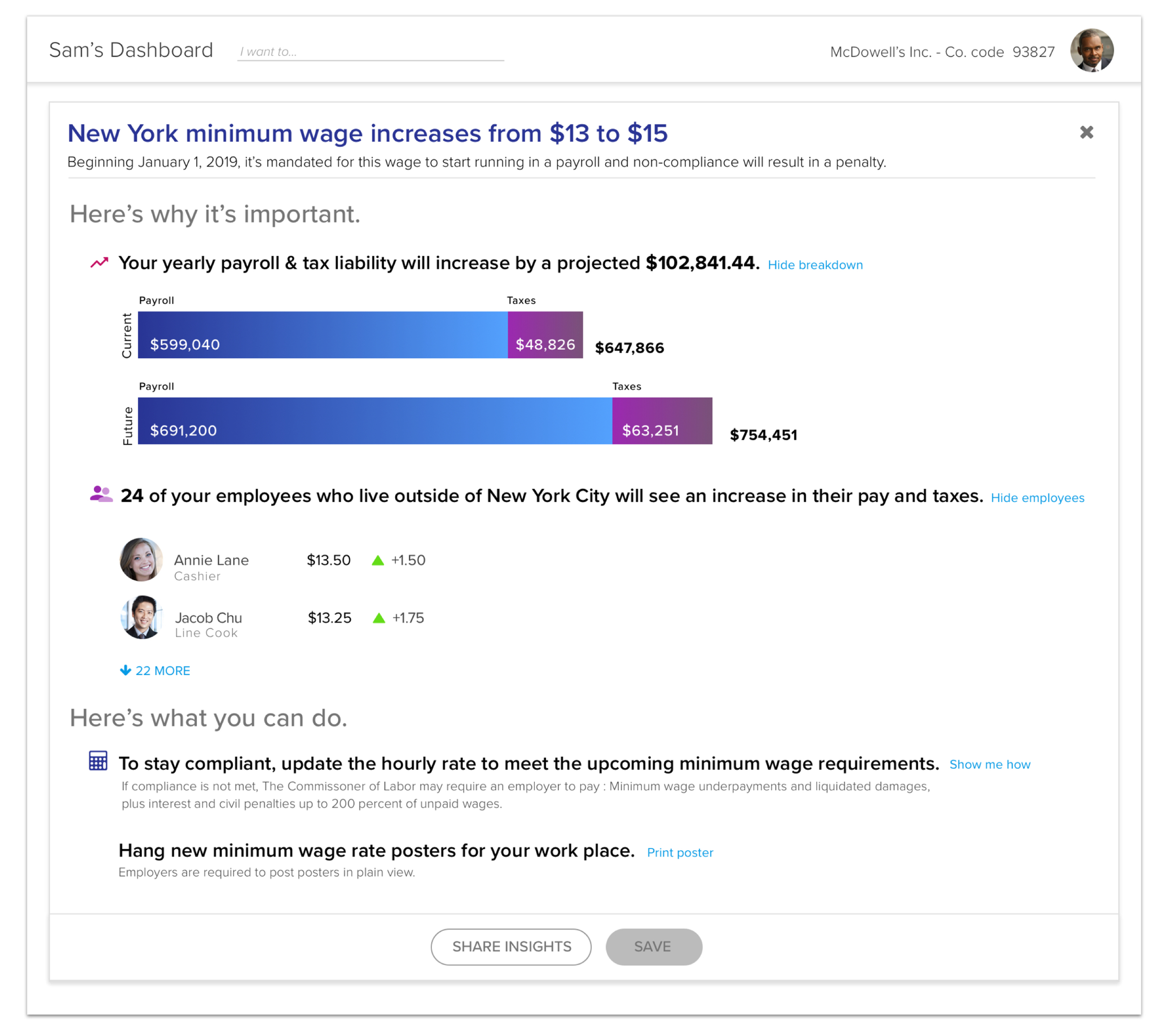
(4) Identify the Impacted Employees
Goal: See exactly which staff members are below the new threshold.
Action: Sam clicks View employees to see a list of 24 individuals and exactly how much their individual hourly rates will need to increase.
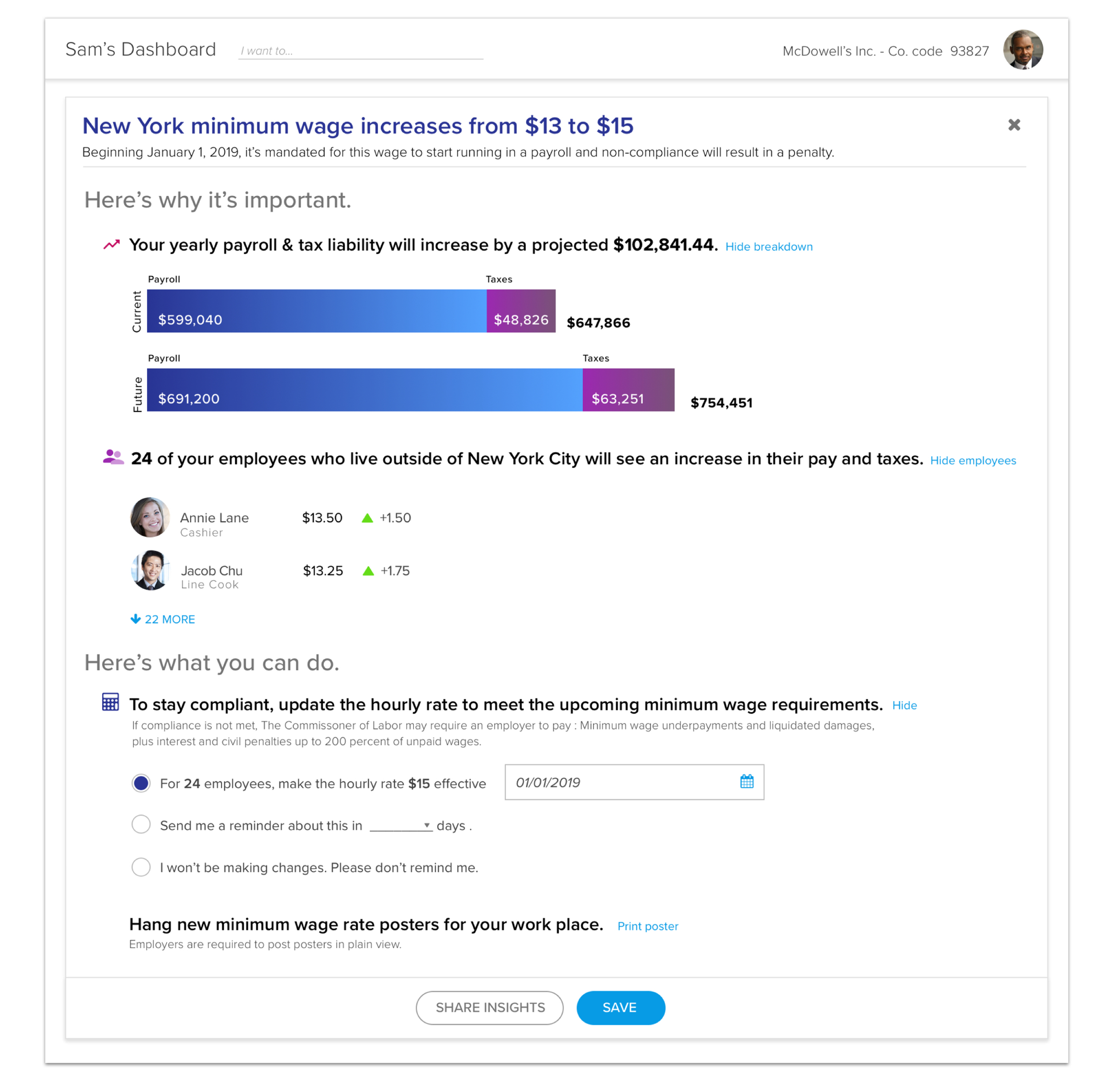
(5) Execute Compliance Update
Goal: Automate wage increase to ensure the business stays legal.
Action: Sam selects radio button for “for 24 employees, make the hour rate of $15…,” verifies the date, and prepares to save the changes.
(6) Close the Loop with Stakeholders
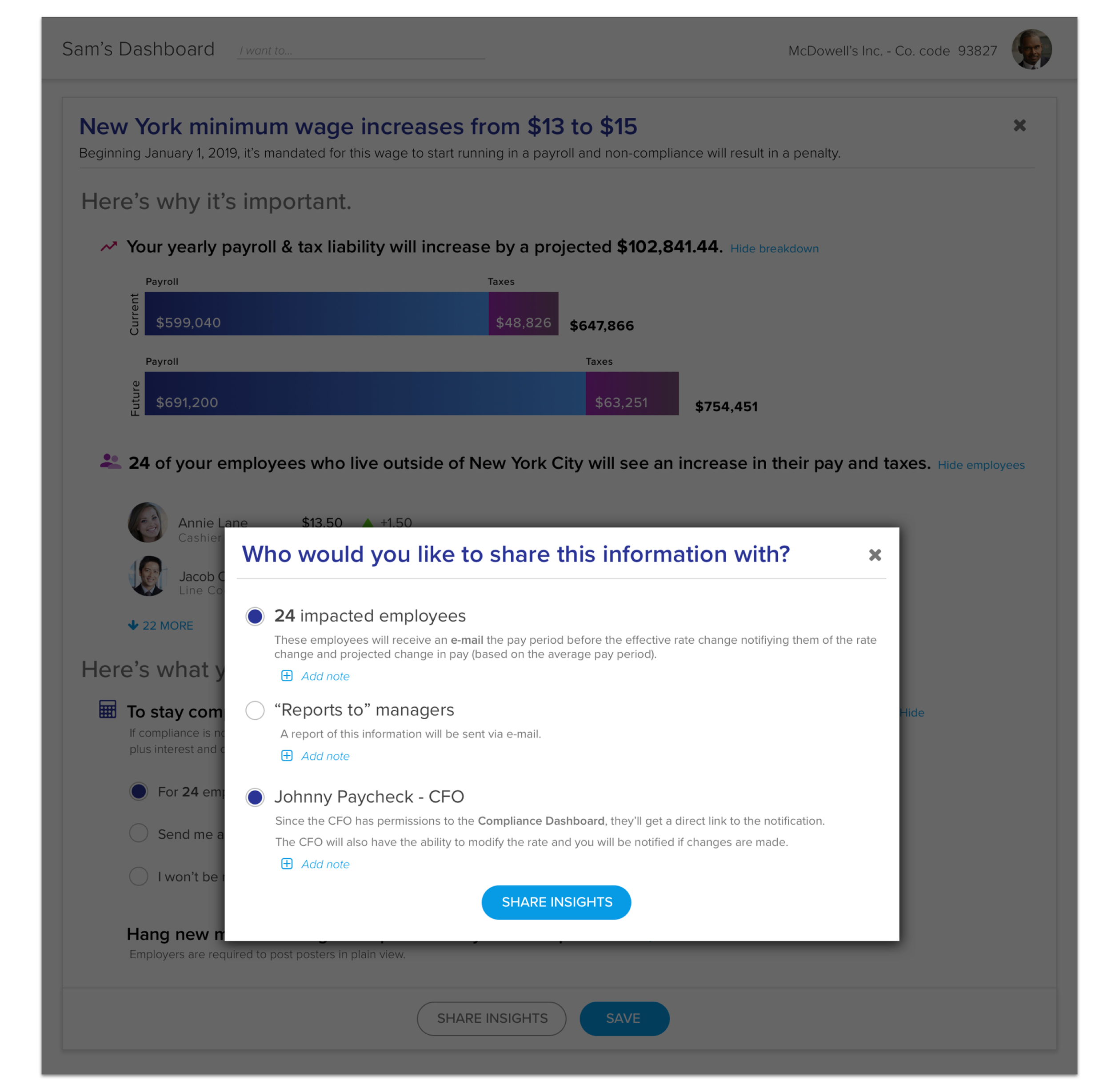
Goal: Notify the affected employees and the CFO so everyone is aligned.
Action: Sam clicks “Share Insight” and selects the impacted employees and “Johnny Paycheck-CFO” to send out automated notifications and reports.